
🔘 Getting to Know Your Reencle Essential — Buttons & ControlsUpdated a month ago
⬜ Overview

👉 📹 Button Operation Guidance Video
The Reencle Essential has three touch-sensitive buttons on the front panel: Power, Dry, and Purify, plus a physical Opening button on top for the lid.
Each button has a preset function and cannot be customized.
1. Power Button
◾Function: Turns the unit on or off.
- Turn On: Touch and hold for 1 second.
- Turn Off: Touch and hold for 3 seconds.
Keep Reencle powered on during normal use. Turning it off lowers the internal temperature and slows microbial activity, which pauses decomposition and may lead to odors.
Only power off when necessary, such as during travel, moving, or an extended absence.
For extended periods away, see:
👉 Daily Use & Maintenance — Vacation Mode: Preparing for Absence
| ⚠️ Touch Response Area: Power, Dry, and Purify are touch-sensitive. Touch either the button label or white indicator light to activate them. |
2. Dry Button
◾Function: Runs a 24-hour drying cycle to help reduce excess moisture in the microbial bed. The cycle turns off automatically after 24 hours.
◾How to activate: Touch the Dry button for 1 second.
◾When to use: Use Dry mode when the microbial bed is overly wet or clumping, as confirmed by the "Squeeze Test".
◾How it works: Dry mode significantly increases fan speed to improve airflow and evaporation while slightly raising the internal temperature.
| ⚠️ Important: Dry mode supports moisture recovery but may not be enough for significantly wet or clumped microbes. |
For complete recovery instructions, see:
👉Microbes — Wet Microbe Recovery Guide
3. Purify Button
◾Function: Runs a 24-hour enhanced deodorizing cycle when odors become unusually strong. The cycle turns off automatically after 24 hours.
◾How to activate: Touch the Purify button for 1 second.
◾How it works: Purify mode increases fan speed to improve airflow and accelerate odor removal through the carbon filter.
| ⚠Important: Purify helps reduce odors but does not correct the underlying cause. |
🔸Common odor adjustments:
Common Odor Cause | Recommended Action |
Microbes too wet or too dry | Restore the proper moisture level. See: 👉 Wet Microbe Recovery Guide |
Dirty interior (mesh filter, inner walls, lid) | Clean the affected interior components. |
C:N ratio imbalance (excess nitrogen) | Add a small amount of carbon-rich material, such as bread or finger-sized pieces of unbleached paper towel. |
Acidic/sour smell specifically | Add a small amount of used coffee grounds (note: Do not add large amounts, as coffee grounds do not decompose in Reencle.) |
💡 For detailed guidance, see: 👉 Microbes — Why Do My Microbes Smell? |
4. Opening Button
◾Function: Opens the lid.
◾How to use: Press the round physical Opening button located on the top of the unit.
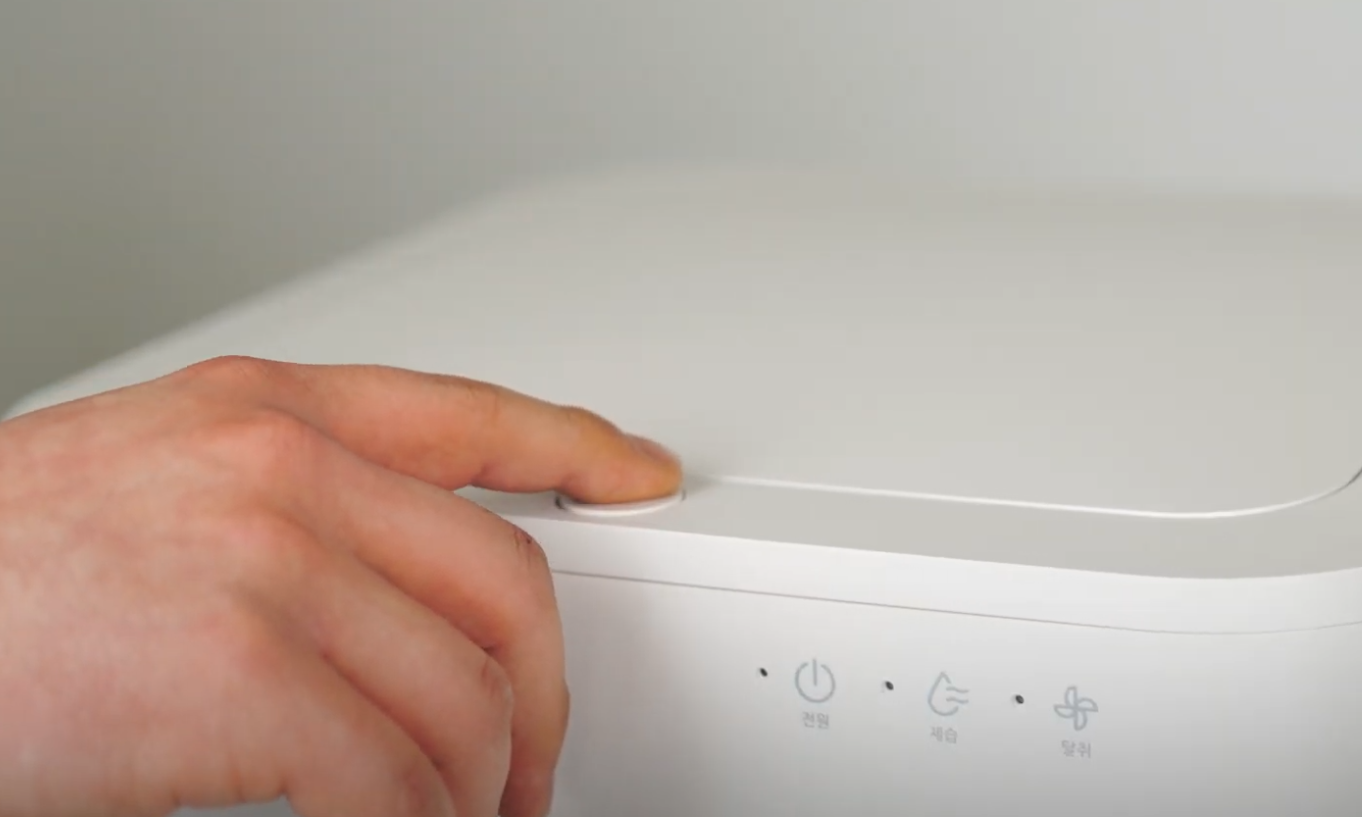
Once pressed, the lid will open automatically. You do not need to lift the lid by hand.
To close the lid, gently press it down by hand until it clicks securely into place.
⚠️ Important: The Opening button is a physical push button and is separate from the touch-sensitive Power, Dry, and Purify buttons on the front panel. |